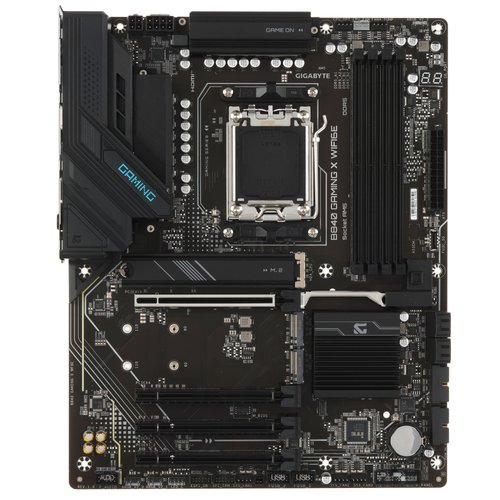
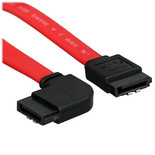
1 x PCIe 4.0 (supported mode: x16), 1 x PCIe 3.0 (supported mode: x4), 2 x PCIe 3.0 (supported mode: x1)
Support For SLI/CrossFire
none
Multi-GPU Support (SLI/CrossFire) Card Count
0 pcs
Slot Count: PCI-E x1
0
Other Expansion Slots
none
Drive Controllers
Support For NVMe
yes
PCI Express SSD Version
4.0
M.2 Connector Count
3
M.2 (M) Connectors, CPU PCIe Lanes
2 x 2280/2580/22110/25110 (PCIe 4.0 x4)
M.2 (M) Connectors, Chipset PCIe Lanes
1 x 2280/2580/22110/25110 (PCIe 3.0 x4)
SATA Port Count
4
SATA RAID Mode
0, 10, 1
NVMe RAID Mode
0, 10, 5, 1
Other Drive Connectors
none
Rear Panel Ports
USB Type-A Ports
4 x USB 2.0, 2 x USB 3.2 Gen 1, 1 x USB 3.2 Gen 2
USB Type-C Ports
1 x USB 3.2 Gen 2
Video Outputs
1 x HDMI, 1 x DisplayPort
RJ-45 Ethernet Port Count
1
Analog Audio Connector Count
3
Digital Audio Ports (S/PDIF)
none
SMA Connectors (for Wi-Fi Antenna)
yes
PS/2 Ports
none
Board Connectors
Internal USB Type-A Connectors
2 x USB 3.2 Gen 1 (19 pin), 2 x USB 2.0 (9 pin)
Internal USB Type-C Connectors
1 x USB 3.2 Gen 1
CPU Cooler Power Connectors
1 x 4 pin (cooler), 1 x 4-pin (cooler/pump)
Case Fan Connectors (4 pin)
3
Dual-Purpose Fan/Pump Connectors (4-pin)
1
Case Fan Connectors (3 pin)
0
5V-D-G (3 pin) ARGB Lighting Connectors
3
12V-G-R-B (4 pin) RGB Lighting Connectors
1
M.2 Key E Connector for Wireless Modules
none
RS-232 (COM) Connector
none
LPT Port
none
Audio
Sound Scheme
7.1
Network
Network Adapter Speed
2.5 Gbit/s
Wi-Fi Standard
6E (802.11ax)
Bluetooth Version
5.3
Wireless Adapter
Realtek RTL8852CE
Power and Cooling
Main Power Connector
24 pin
CPU Power Connector
8 pin + 4 pin
Number of Power Phases
12+2+2
Passive Cooling
VRM area, chipset, 1 x M.2 slot
Active Cooling
none
Additional Information
Buttons on the Motherboard
clear CMOS button, Q-Flash Plus button, reset button, power button
Backlit Board Elements
none
Software for RGB Lighting Synchronization
GIGABYTE Control Center
Features, Additional
Intel XMP support, AMD EXPO support
Package Contents
wi-fi antenna, documentation
Description
The GIGABYTE B840 GAMING X WIFI6E motherboard in the Standard-ATX form factor is suitable for installation in Midi-Tower or Full-Tower cases. It is compatible with AMD processors with the AM5 socket and features 4 DDR5 slots with support for up to 256 GB of RAM. The overclocked RAM frequency reaches up to 8200 MHz. Using AMD EXPO software, DDR5 modules can be overclocked to the claimed high speeds in one click via the BIOS. This doubles gaming performance. The board is suitable for complex computing, 3D modeling, AI workloads, and running games at medium/high settings. Four SATA ports allow connecting SSDs and HDDs to set up large storage of up to 8-16 TB. Three M.2 slots are designed for connecting ultra-fast NVMe SSDs. Unlike SATA, M.2 requires no cables, as the SSD is inserted directly into the board.
The GIGABYTE B840 GAMING X WIFI6E motherboard features an RJ-45 network port for wired LAN internet connection. The Wi-Fi antenna is installed into the SMA connector using a threaded connection that ensures low signal loss. Fans and a pump can be connected to the board to create an air or liquid cooling system.