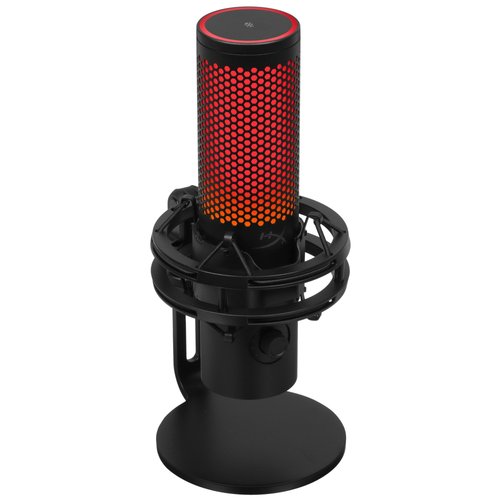
Characteristics Microphone HyperX QuadCast 2 black
General parameters
Type
microphone
Model
HyperX QuadCast 2
Manufacturer Code
[872V1AA]
Main Color
black
Number of Microphones Included
1
Basic microphone parameters
Operating Principle
capacitor
Polar Pattern Switching
yes
Microphone Directionality
bidirectional, cardioid, omnidirectional
Intended Use
computer
Design
Design
tabletop
Manufacture Material
metal
Technical specifications
Capsule Diameter
14 mm
Sensitivity
-7.5 dB
Min Frequency
20 Hz
Max Frequency
20000 Hz
Sampling Rate
24 bit/96 kHz
Signal-to-Noise Ratio
100 dB
Attenuator
none
Low-Pass Filter
none
Connection
Connection Type
wired
Cable Connector
USB Type-C, USB Type-A
Cable Length
200 cm
Balanced Audio Support
none
Connectors
USB Type-C, jack 3.5 mm
Functions
Headphone Volume Control
yes
Sensitivity Adjustment
yes
Monitor Volume Control
none
Microphone Mute Button
touch-sensitive
Headphone Output
yes
Flexible Stand
none
Backlight
single-color
Stereo Recording
yes
Memory Card Slot
none
Detachable Cable
yes
Extra Contents
Spider Shock Mount
yes
Suspension included
spider
Pantograph
none
Wind Resistance
none
Pop Filter
none
Power
Phantom Power Requirement
none
Power Supply
none
Power Supply Voltage
5 V
Additional Information
Package Contents
USB Type-A - USB Type-C adapter, desk stand, documentation, anti-vibration spider mount, USB Type-С - USB Type-С cable
Dimensions and Weight
Microphone Weight
335 g
Description
The HyperX QuadCast 2 microphone in a black aluminum body features a 24-bit/96 kHz sampling rate, allowing it to be used for studio-quality audio recording. The model supports 4 selectable polar patterns, enabling its use across various scenarios: from interviews and podcasts to streaming and gaming communication. Thanks to the 3.5 mm jack, headphones can be connected directly to the microphone.
The HyperX QuadCast 2 microphone is equipped with a detachable shock mount featuring spring-loaded pins that allow compatibility with universal shock mounts and simplify removal. The multi-function control knob lets you adjust all necessary settings with a single button press without needing to switch between windows. The LED indicator allows you to check the current operational status of the microphone. The body's LED lighting can be customized via the HyperX NGENUITY app.