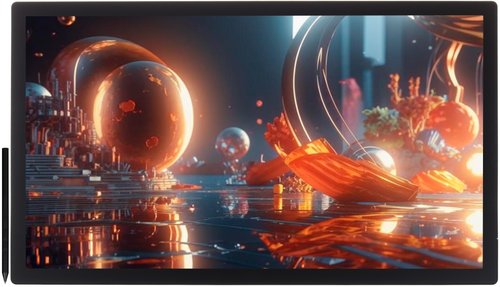
Graphics monitor Wacom Cintiq Pro 27

#5665469

Graphics monitor Wacom Cintiq Pro 27

[wired, input - touch/stylus, drawing surface area - 596 mm x 335 mm, 5080 lpi, stylus pen - passive, sensitivity - 8192 levels, USB Type-A, USB Type-C] details

Not on sale

  • Characteristics
  • Feedback 0
  • Instructions and files

Characteristics Graphics monitor Wacom Cintiq Pro 27

General characteristics

Type
graphics monitor
Model
Wacom Cintiq Pro 27
Manufacturer Code
[DTH271K0B]
Main Color
black
Connection Type
wired

Tablet

Input Method
touch/stylus
Workspace Width
596 mm
Work Area Length
335 mm
Size
A2
Tablet Resolution
5080 lpi
Response Time
240 dots per seconds
Total Number of Buttons
0 pcs
Number of Programmable Buttons
0 pcs
Support For Multi-Touch
yes

Screen

Screen Resolution
3840x2160
Screen Size
26.9 in
Brightness
400 cd/m²
Response
14 ms
Horizontal Field of View
170 deg
Vertical Field of View
170 deg
Contrast
1000:1
Aspect Ratio
16:9
Color Range
98% DCI-P3, 99% Adobe RGB

Stylus

Pen Type
passive
Stylus Type
Wacom Pro Pen 3
Pen Tilt Angle
60 deg
Pressure Sensitivity
8192 levels
Pen Button Count
3 pcs
Replaceable Tips
yes
Power Supply
none

Interfaces

Interface
USB Type-C, USB Type-A
Video Ports
HDMI, DisplayPort

Additional Information

Supported OS
Linux, Windows 10 and newer, macOS 11 and newer
Software Included
none
Package Contents
USB Type-A - USB Type-C cable, interchangeable tips, power adapter, HDMI cable, stylus, power cable, documentation, USB-C - USB-C cable, tweezers for replacing tips, DisplayPort cable, monitor stand

Dimensions

Length
379 mm
Width
638 mm
Thickness
31 mm
Weight
7.2 kg

Description

The Wacom Cintiq Pro 27 pen display features a 26.9-inch display with a resolution of 3840x2160 pixels. Color accuracy is achieved thanks to 99% Adobe RGB coverage. Multi-Touch support allows the working surface to respond to multiple touches simultaneously. The passive Wacom Pro Pen 3 stylus does not require constant connection to a power source.
Wacom Cintiq Pro 27 features an instant response to touches, as the response time is 14 ms. The pen detects up to 8192 pressure levels. This means the user can change line thickness and opacity. The DisplayPort cable transmits the signal from the pen display to the PC.