USB Type-C, DisplayPort (MST), HDMI 1.4, DisplayPort 1.4
Other Connectors
RJ-45
USB Hub
yes
Number of USB Ports
4 pcs
Headphone Output
none
HDMI Connector
yes
DisplayPort Connector
yes
DVI Connector
none
VGA Connector
none
Port Direction
vertical
Functions
Touch Screen
none
Eye Protection
Flicker Free, Low Blue Light
Picture-In-Picture
none
Dual Mode
none
Game Features
none
Design
VESA Size
100 x 100
Swivel Stand
yes
Height Adjustment
yes
Tilt Adjustment
yes
90° Rotation (Portrait Mode)
yes
Accessory Attachment
none
Housing Coating
matte-gloss finish
Lighting
none
Additional Equipment
Webcam
none
Built-In Speaker System
none
Remote Control
none
Wireless Interface
none
Power
Power Supply Location
built-in
Power Consumption When in Use
20 W
Sleep Mode Power Consumption
0.3 W
Standby Power Consumption
0.3 W
Power Supply Voltage
100-240 V / 50-60 Hz
Support For USB Power Delivery
yes
USB Power Delivery Charging Power
65 W
Energy Efficiency Rating
F
Additional Information
Package Contents
USB Type-C - USB Type-C cable, power cable, DisplayPort - DisplayPort cable, documentation
Dimensions and Weight
Width Without Stand
537.8 mm
Height Without Base
318.5 mm
Thickness Without Stand
52.2 mm
Monitor Weight Without Stand
3.92 kg
Width With Stand
537.8 mm
Minimum Height with Stand
364 mm
Max Height With Stand
496.1 mm
Thickness with Stand
179.6 mm
Monitor Weight With Stand
5.98 kg
Description
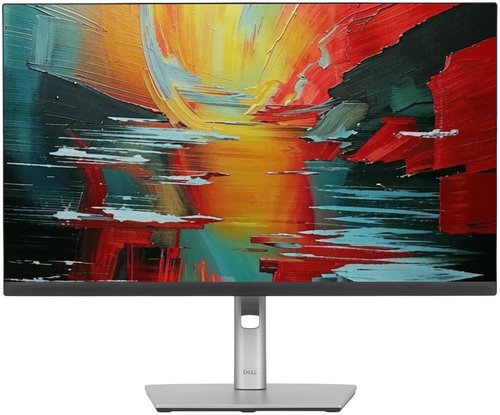
The black Dell P2423DE monitor with a 23.8-inch screen features 2K resolution for sharp rendering of fine details and comfortable video viewing. The IPS panel maintains image brightness and contrast, wide 178° viewing angles without color distortion, and natural color reproduction covering 99% sRGB. The 60 Hz refresh rate and 5 ms pixel response time are sufficient for watching movies and working with documents and images. Flicker Free and Low Blue Light technologies reduce eye fatigue through flicker and blue light protection.
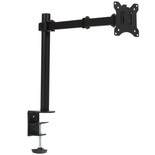
The Dell P2423DE comes in a black matte-gloss body with a functional stand for tilting, swiveling, and other screen adjustments. VESA 100x100 support allows mounting the monitor on an arm. DisplayPort, HDMI, and USB Type-C video connectors can be used to connect the model to a computer. A four-port USB hub and an RJ-45 network port allow you to connect necessary devices through the monitor.