timer, black stabilizer, virtual crosshair, stopwatch, center screen magnification, frame counter
Design
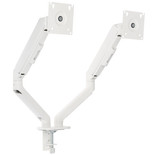
VESA Size
100 x 100
Swivel Stand
yes
Height Adjustment
yes
Tilt Adjustment
yes
90° Rotation (Portrait Mode)
none
Accessory Attachment
none
Housing Coating
matte
Lighting
RGB
Additional Equipment
Webcam
none
Built-In Speaker System
none
Remote Control
none
Wireless Interface
none
Power
Power Supply Location
external
Power Consumption When in Use
44 W
Sleep Mode Power Consumption
0.5 W
Standby Power Consumption
0.3 W
Power Supply Voltage
100-240 V / 50-60 Hz
Support For USB Power Delivery
yes
USB Power Delivery Charging Power
15 W
Additional Information
Package Contents
power adapter, DisplayPort - DisplayPort cable, documentation, USB Type-A to Type-B cable, screen cleaning wipe
Extra
built-in KVM switch
Dimensions and Weight
Width Without Stand
714 mm
Height Without Base
430 mm
Thickness Without Stand
71.1 mm
Monitor Weight Without Stand
4.5 kg
Width With Stand
714 mm
Minimum Height with Stand
499 mm
Max Height With Stand
579 mm
Thickness with Stand
274 mm
Monitor Weight With Stand
7.3 kg
Description
The black ASUS ROG Strix OLED XG32UCWG monitor features a 31.5" screen with a resolution of 3840×2160 and support for dynamic refresh rate technologies. It delivers a smooth image without lag, freezing, or screen tearing even in dynamic scenes. The model is suitable for gaming. Special features are provided for gamers: virtual crosshair, stopwatch, black equalizer, frame counter, timer, and center area zoom. With these, you can enhance character performance and gain full control over the game.
The ASUS ROG Strix OLED XG32UCWG monitor is equipped with DisplayPort, HDMI, and USB Type-C interfaces for connecting a PC, laptop, or gaming consoles. The USB hub allows you to simultaneously connect and charge a mouse, keyboard, external drives, lighting, or a TV box from the monitor. A 3.5 mm audio output is provided for connecting a wired headset. The body is equipped with RGB lighting. With it, you can configure custom lighting scenarios: select different colors, pulsing, blinking, or color transitions. The built-in KVM switch allows you to control two or more PCs and other devices simultaneously from the monitor.