Characteristics Controller wireless/wired Razer Wolverine V2 Pro black
General parameters
Type
controller
Model
Razer Wolverine V2 Pro
Manufacturer Code
[RZ06-04710100-R3G1]
Appearance
Main Color
black
Color as Stated by Manufacturer
black
Backlight
yes
Coating Type
rubberized
Compatibility
Supported Platforms
PlayStation 5, PC
Supported OS
Windows 11, Windows 10
Connection
Connection Type
wireless/wired
Cable Connector
USB Type-A
Wireless Interface
radio channel
Cable Length
3 m
Control
Thumbsticks
2 pcs
Stick Layout
asymmetric
Thumbstick Type
analog
D-Pad (Directional Pad)
yes
D-Pad Type
8-way
XYBA Button Layout
PS-like
Bumpers
yes
Triggers
yes
Extra Paddles
yes
Trackpad
yes
Number of Buttons
27 pcs
Design and Functional Features
Vibration Feedback
none
Adaptive Triggers
none
Haptic Feedback
none
Built-In Sensors
none
Phone Mount
none
Turbo Mode
none
Custom Button Binds
none
Controller Ports
USB Type-C, jack 3.5 mm
Built-In Speaker
none
Built-In Microphone
none
Power
Power Supply
from USB, battery-powered
Battery Life
28 h
Additional Information
Charging Station Included
none
Package Contents
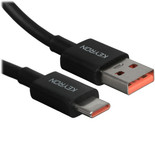
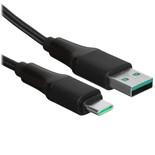
USB Type-A - USB Type-C cable, documentation, USB Type-A receiver, replacement sticks (2 pcs)
Features, Additional
Razer Controller app support
Dimensions and Weight
Height
65 mm
Width
168 mm
Depth
106 mm
Weight
279 g
Packaging Dimensions and Weight
Package Height
215 mm
Package Width
200 mm
Packaging Depth
80 mm
Packaged Weight
1500 g
Description
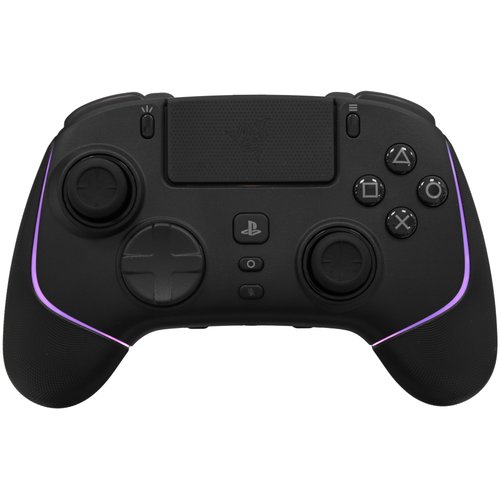
The black Razer Wolverine V2 Pro wireless/wired gamepad is compatible with PlayStation 5 gaming consoles, as well as computers running Windows 10 and 11. In total, the model features 27 buttons that can be assigned in-game actions, macros, or hotkeys. Thanks to this, using a keyboard is not required. In addition to the main controls, the controller has additional paddles. With their help, you can perform an expanded list of actions without taking your thumbs off the analog sticks. The touchpad simplifies text input or navigating game maps.
The Razer Wolverine V2 Pro wireless/wired gamepad supports the Razer Controller app. In it, you can remap paddle functions, adjust stick sensitivity, and configure other settings. The device can be connected to PCs and consoles in two ways: a wired connection provides a stable link and instant response, while the RF wireless channel allows you to use the gamepad from a distance.