Wi-Fi router Kroks Rt-Ubx m4

#9317351

Wi-Fi router Kroks Rt-Ubx m4

[3G, 4G, 150 Mbit/s, Wi-Fi 802.11, n, 2.4 GHz, 1 LAN, RJ-45, RP-SMA x2 (Wi-Fi), sim slot x2, SMA x2 (LTE)] details

Not on sale
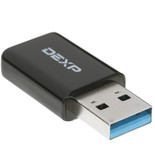
Accessories

  • Characteristics
  • Feedback 0
  • Instructions and files

Characteristics Wi-Fi router Kroks Rt-Ubx m4

General parameters

Type
Wi-Fi router
Model
Kroks Rt-Ubx m4
Manufacturer Code
[3149]
Main Color
white

Hardware

Processor
0.58 GHz
RAM Capacity
64 MB
Flash Storage
16 MB

Mobile Communications

Cellular Network Standards Support
4G, 3G
GSM Enhancements
EDGE
Frequency Ranges
3G: B1/B8, TDD-LTE: B38/B40, LTE FDD: B1/B3/B7/B8/B20/B28, EDGE: B3/B8
Max Receive Speed
150 Mbit/s

Wi-Fi

Wi-Fi Standard
4 (802.11n)
Wi-Fi Transmitter Frequency
2.4 GHz
Dual Band Operation
none
Transmitter Power
20 dBm
Antenna Type
external
Antenna Count
2

Routing

Secure Connection Technology
yes

Functions

Support For MESH
none
Multi-Stream Data Transfer
MIMO
Protocol Support
QoS

Power

Power Supply Type
DC 9-24 V, Passive PoE

Additional Information

Port Count
1x LAN/WAN
Ethernet Ports
1
Connectors/Ports
sim slot x2, RP-SMA x2 (Wi-Fi), RJ-45, SMA x2 (LTE)
Number of Physical SIM Cards
2
Переназначение WAN/LAN портов
manual
Setup and Management
TR-081, web interface, TR-069
USB Flash Drive Connectivity
none
Memory Card Slot
none
Mobile App
none
Buttons
factory reset
Dust and Moisture Protection
IP65
Package Contents
mount, documentation, PoE injector

Operating Conditions

Operating Temperature
from -20 °C to +50 °C

Dimensions and Weight

Length
240 mm
Width
240 mm
Height
100 mm

Description

Router Kroks Rt-Ubx m4 with a LAN port complemented by a SIM slot with support for cellular networks 3G and 4G. The device creates a wireless Wi-Fi network at a frequency of 2.4 GHz. Connection speeds of 150 Mbps are enough for optimal operation of a PC, a TV and mobile devices. MIMO technology guarantees multithreaded data transmission without delays and lag.
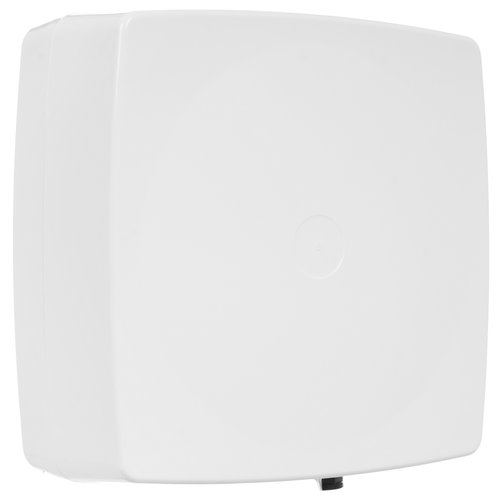
Kroks Rt-Ubx m4 in a white case with two external antennas and a button to reset settings. You can manage available features via a Web interface and standards TR-069, TR-081. The QoS protocol ensures a stable connection in online games, video calls and similar priority tasks.