composite mini AV, satellite antenna input, antenna input
Headphone Output
yes
Other A/V Outputs
PC Audio, audio S/PDIF (optical)
Number of USB Ports
2 pcs
USB Generation
USB 2.0 Type-A, USB 3.2 Gen 1 Type-A
CI/PCMCIA Slot
yes
Memory Card Reader
none
Bluetooth
yes
Bluetooth Version
5.0
Ethernet Port
yes
Functions
Gaming TV
none
Picture-In-Picture
none
HDMI Features
HDMI eARC, HDMI CEC, HDMI ARC
Streaming
Google Cast (Chromecast), AirPlay
Control via Mobile Device
yes
Management App
Android TV Remote Control
Mount
Wall Mounting
yes
VESA Size
300 x 200
Stand Placement
on the sides
Additional Information
Max Power Draw
180 W
Package Contents
battery x 2 pcs., support mounting screws x 4 pcs., power cable, documentation, stand leg x 2 pcs, remote controller
Features, Additional
TV guide, sport mode, sleep timer, digital noise reduction, subtitles, built-in soundbar, karaoke mode
Dimensions and Weight
Width Without Stand
1233 mm
Height Without Base
722 mm
Thickness Without Stand
88 mm
Weight Without Stand
14.9 kg
Width With Stand
1233 mm
Height Including Stand
775 mm
Thickness with Stand
233 mm
Packaged Dimensions and Weight
Box Width
1335 mm
Box Height
825 mm
Box Depth
145 mm
Packaged Weight
18.8 kg
Description
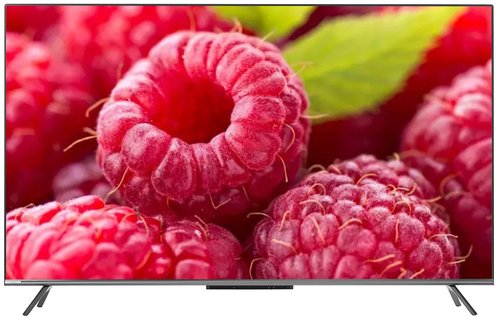
The black 55" Harper 55Q970TS TV with 4K UltraHD resolution is suitable for installation in spacious living rooms, bedrooms, and other rooms of up to 25-30 m². Dolby Vision, HDR10, and HDR10+ technologies provide accurate and natural reproduction of light and shadows. Local dimming increases the contrast of dark scenes, making the picture on the TV realistic. Thanks to Smart TV, you can watch content in a browser or applications without a PC, as well as manage live broadcast TV. You can play online games on the big screen. \nThe Harper 55Q970TS TV supports satellite and cable TV connections. You can connect PCs, laptops, gaming consoles, and analog devices to it: old video cameras, VCRs, set-top boxes. AirPlay and Google Cast technologies allow you to stream videos, photos, and music directly from your smartphone to the screen without additional interfaces. The TV can be controlled using the remote control, voice commands via Google Assistant, or in the Android TV Remote Control app.